 Caret
CaretYour servers, in your pocket.
Pure SSH. No backend. No middleman.
Caret is a cross-platform server cockpit for iOS, Android and macOS. Connect to any Linux box over plain SSH — open a full interactive terminal, watch live resource graphs, manage Docker, and run your saved command snippets. Connecting installs nothing on the server, and there is no cloud in between: the app talks straight to your machines.
Everything an ops session needs
One focused toolkit instead of a shell prompt and five web dashboards. Built for developers who live in the terminal but want their phone to keep up.
Full SSH terminal
A complete interactive terminal powered by xterm — run vim, htop, tail logs. Multiple tabs, auto-reconnect on a dropped link, and one-tap execution of your command snippets.
Persistent terminal sessions
Keep long-running work alive with tmux or zellij — detach, put your phone away, and reattach right where you left off. One-tap install, a session browser, and sessions that survive a dropped connection.
Live monitoring
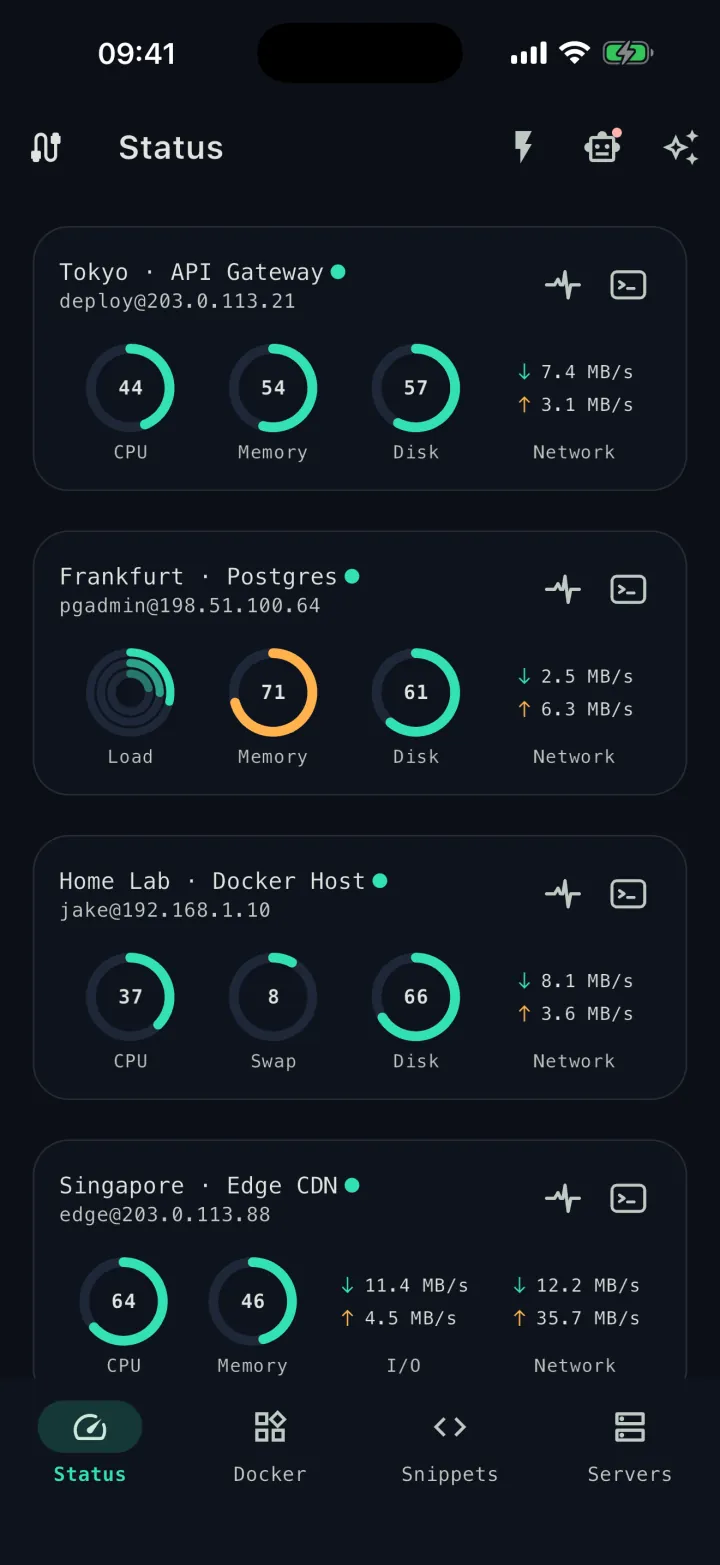
Real-time CPU, memory, disk, network and load charts. An aggregated status overview across every server, with history kept locally on your device.
Historical metrics
More than the live view: chart CPU, memory, disk and network history straight from each server's own records, with one-tap setup if a server isn't keeping them yet.
Docker management
List containers, start / stop / restart, inspect details and stream live logs — across all your servers from a single screen.
Pod deploy templates
A graphical docker run builder. Capture a deployment as a template once, then roll it out to many machines with a single tap.
Command snippets
Save the commands you run all the time. Pick a server, jump into the terminal, and the snippet runs automatically.
Session logs
Optionally record a terminal session's output to your device, then review, share or clear it later. Each session is kept in its own file — all on-device, nothing leaves your machine.
SFTP files
Browse, upload and download remote files over SFTP, with rename and delete — plus view and edit text files right inside the app, no extra tooling on the server.
SSH key management
Import your private keys once and reuse them across servers, with optional passphrases. Key material lives in the device keystore — never in the app database.
Jump hosts
Reach machines behind a bastion. Chain one or more jump hosts and Caret tunnels straight through to the server you actually want.
Port forwarding
Tunnel a local port to a service on the server over SSH, or forward one back in reverse — reach databases, dashboards and dev servers without exposing them to the internet.
Ask AI
Bring your own OpenAI, Anthropic or Gemini key and ask about whatever you're looking at — a server's metrics, a container, a file or terminal output. Caret talks straight to the provider you chose; your key is stored on your device and never sent to us.
Herdr management
Run and watch over several AI coding agents — Claude Code, Codex, Droid, GitHub Copilot CLI and more — on your own servers from Caret. Built on the open-source herdr multiplexer: see each agent’s live state, jump to whichever is blocked, and the agents keep running on the server when you leave.
Read the docsSplit workspace on Mac
On macOS, line several servers up side by side in one window — terminals, monitoring and files in parallel columns, each poppable into its own native window.
Connection tabs
On Mac, keep several servers open as tabs in one window, Termius-style — switch with ⌘1–9 and drop straight back into a live terminal or file browser.
Apple Watch app
Check your fleet from your wrist — live server status on Apple Watch, even while your iPhone stays in your pocket.
Widgets & menu bar
Home Screen and Lock Screen widgets show live CPU, memory and load without opening the app; on Mac the same metrics sit right in the menu bar.
Encrypted cloud sync
Optionally sync servers, snippets, Pod templates and credentials across your devices through your own iCloud or Google Drive — Caret has no servers of its own, and end-to-end encrypted on Google Drive.
Biometric app lock
Lock Caret behind Face ID, Touch ID or your fingerprint, so a borrowed phone never means a borrowed shell.
Runs entirely on your device
A pure client with no backend of its own — all of Caret runs on your phone or Mac and connects straight to your servers. No account, no sign-up, no middleman cloud.
Real device, real servers
A look inside Caret
Actual screenshots from Caret on iPhone, macOS and Apple Watch — the same dark, focused interface on every device, Android included.
Your whole fleet at a glance — live CPU, memory and disk for every server on one screen.
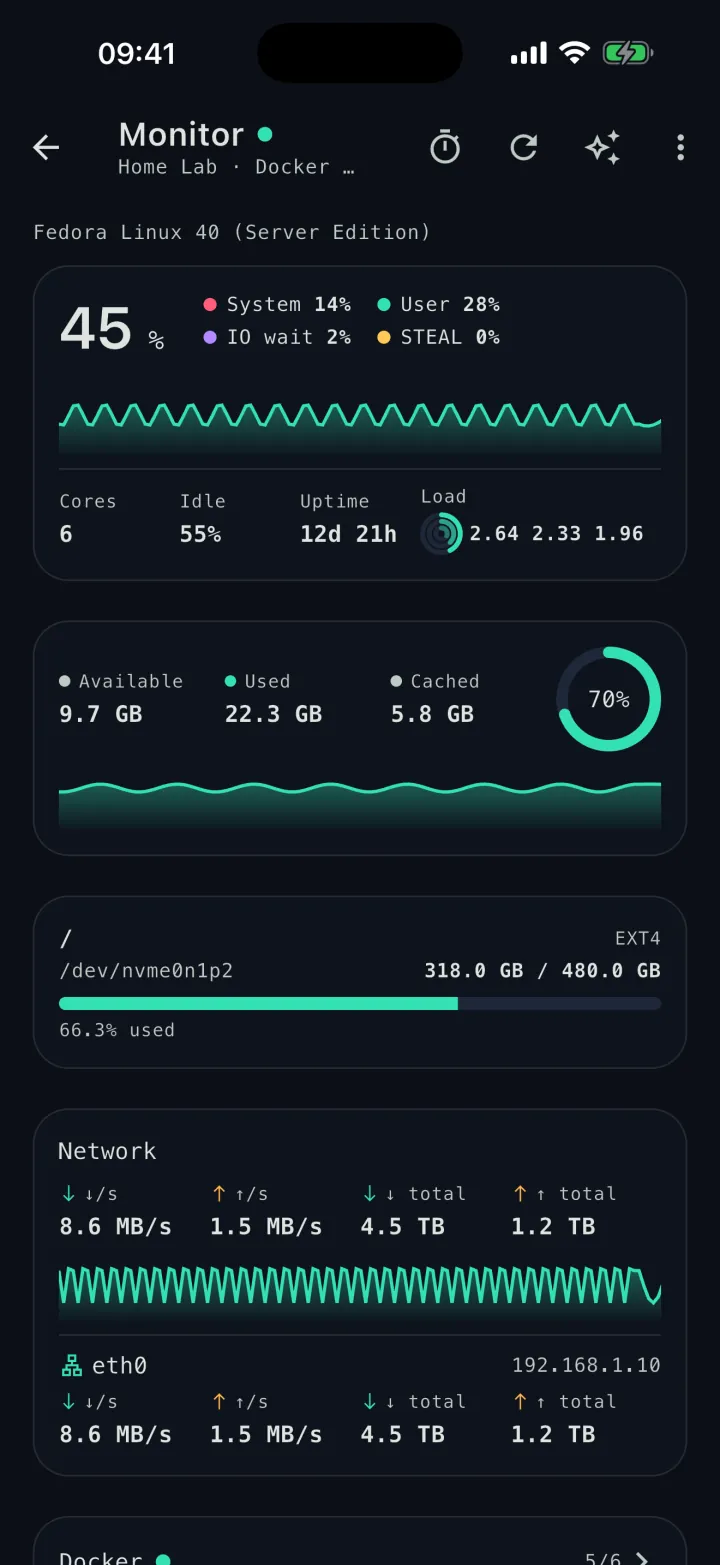
Drill into a single host: live CPU, memory, network and disk graphs, down to the top processes.
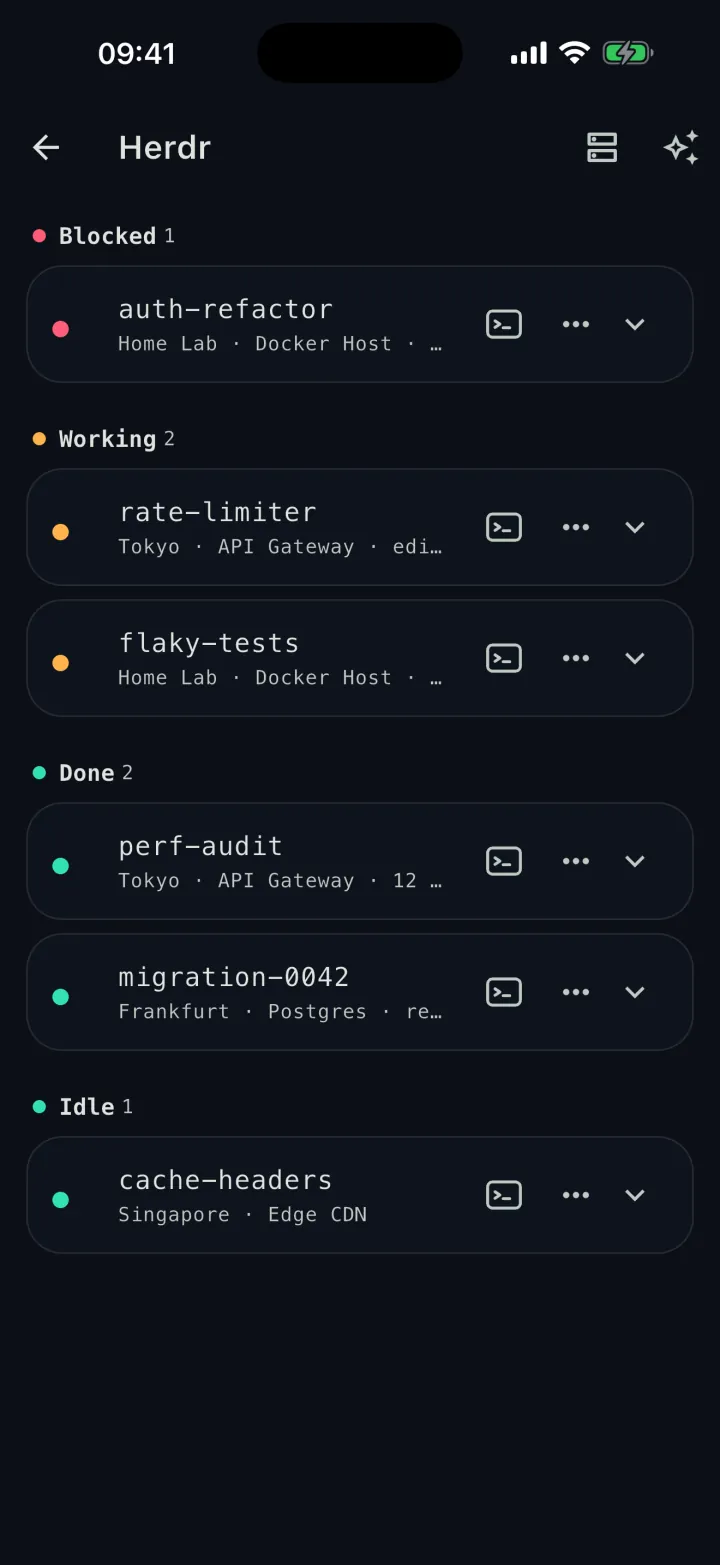
Watch your AI coding agents across every server — see which is blocked, working or done, and reply on the spot.
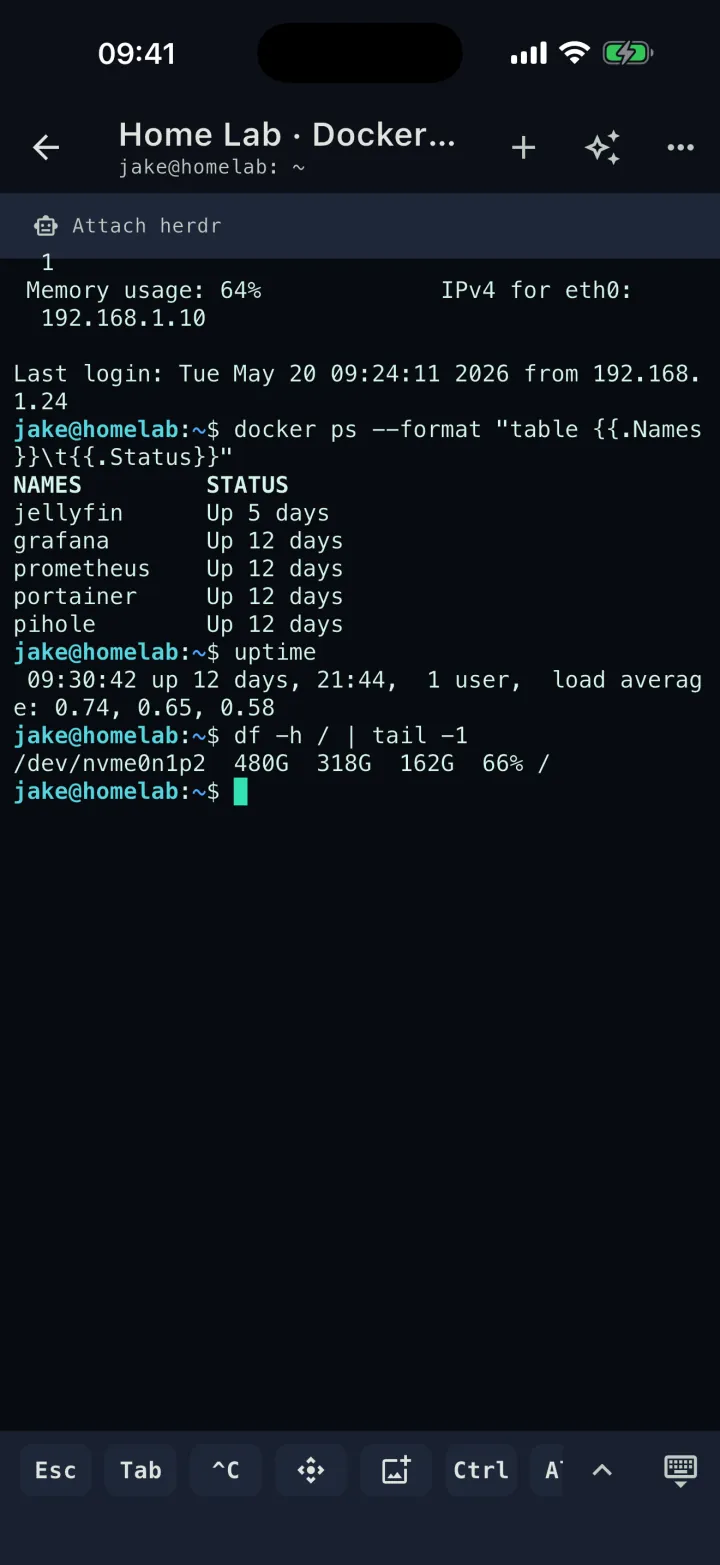
A full SSH terminal in your pocket — run vim, tail logs and your saved snippets, with tabs and auto-reconnect.
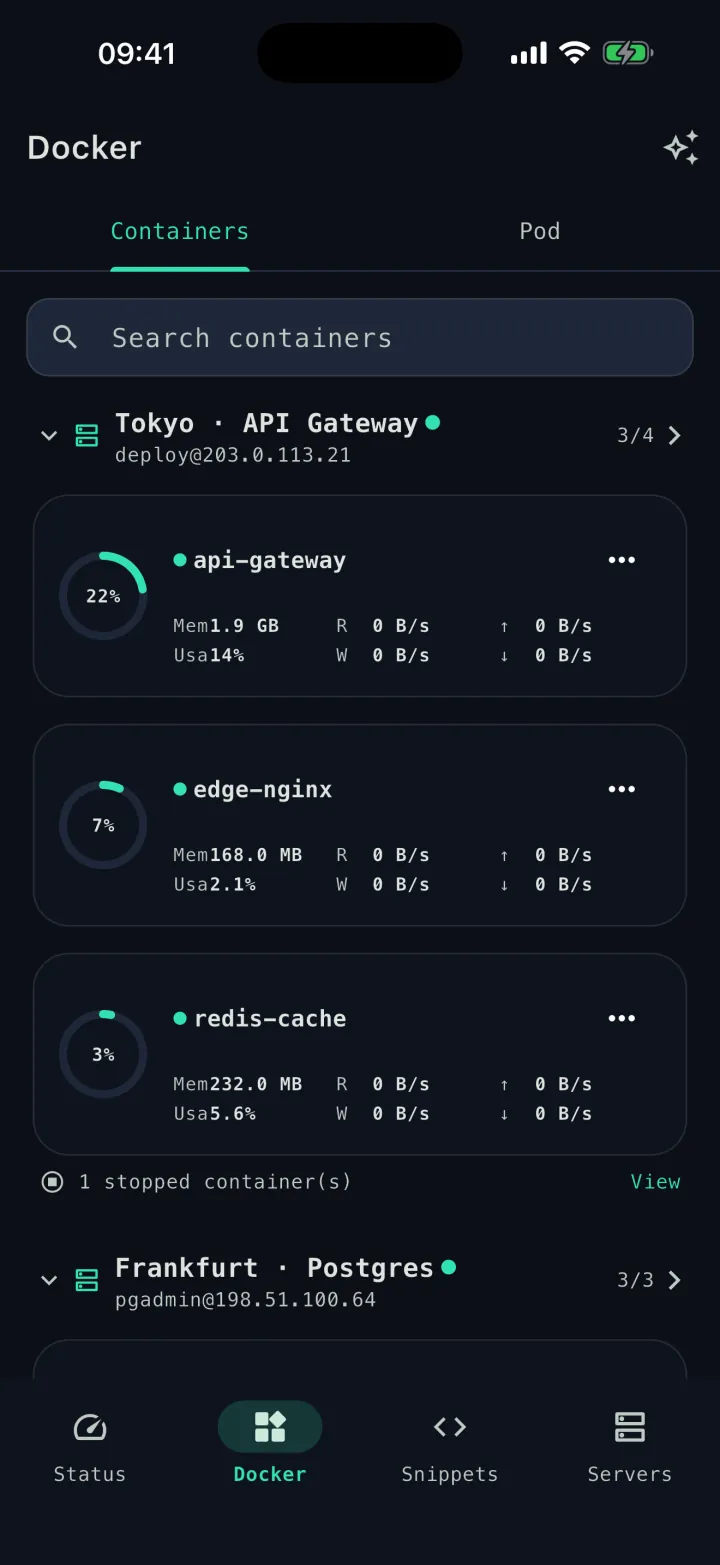
Containers across all your servers, each with live resource usage and one-tap start, stop and logs.
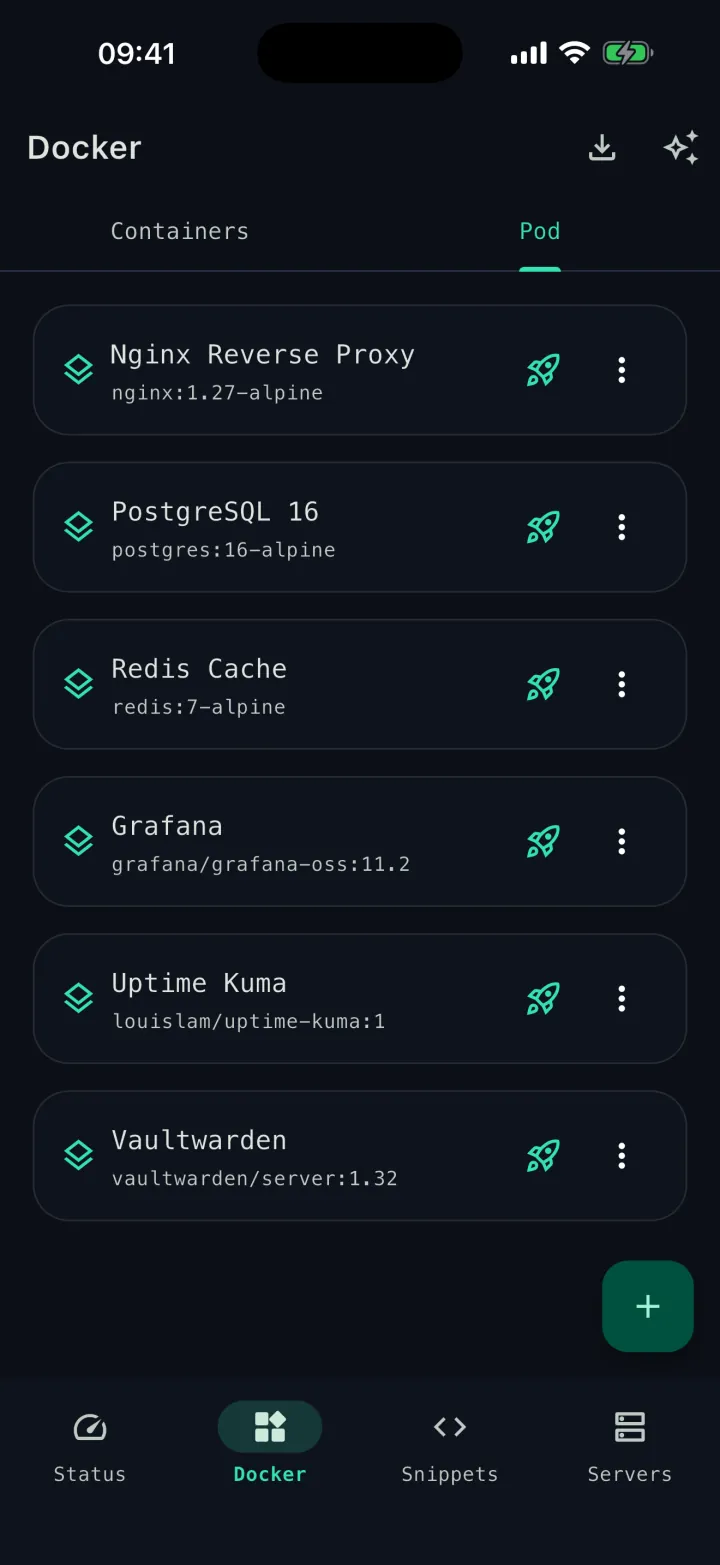
Save a deployment as a Pod template once, then roll it out to any machine with a single tap.
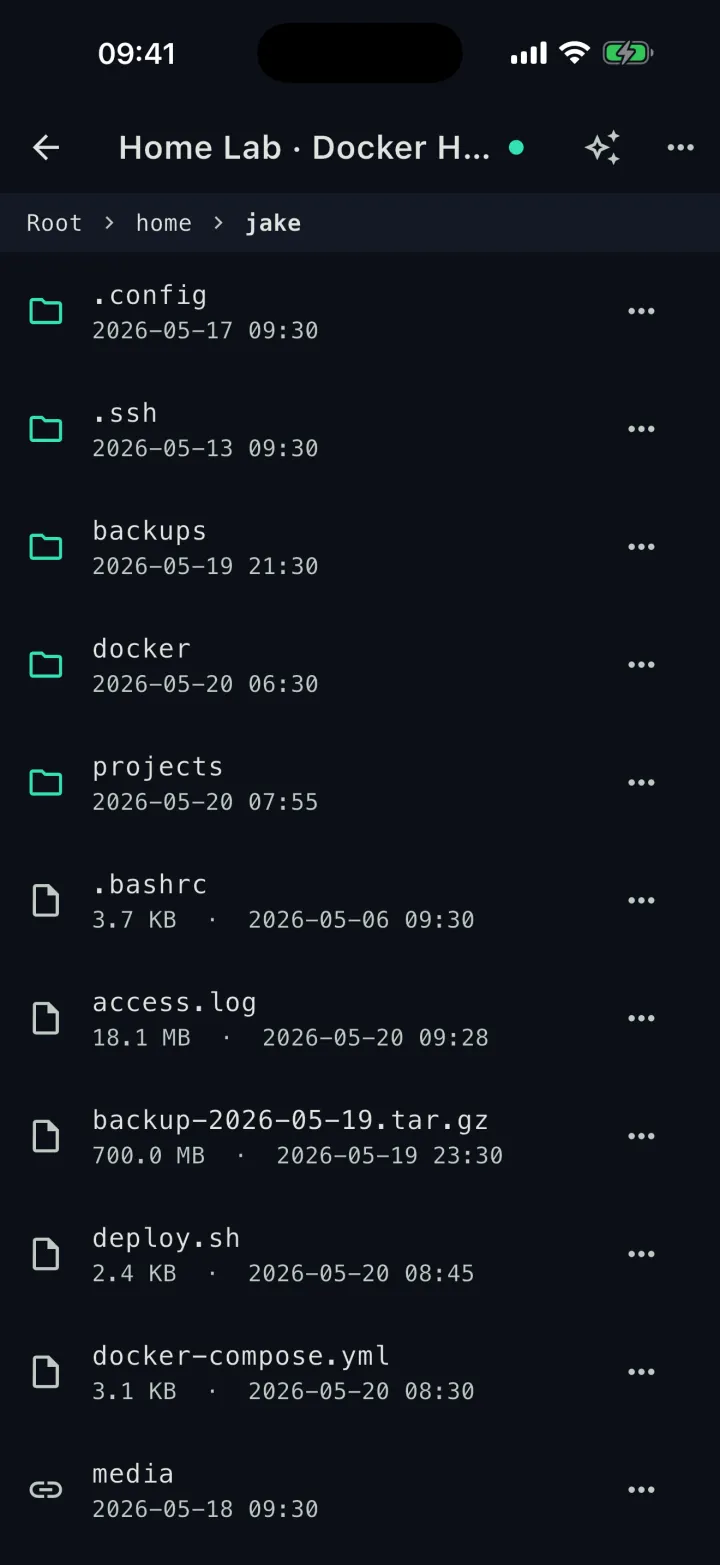
Browse, upload and download files over SFTP, and view or edit text right inside the app.
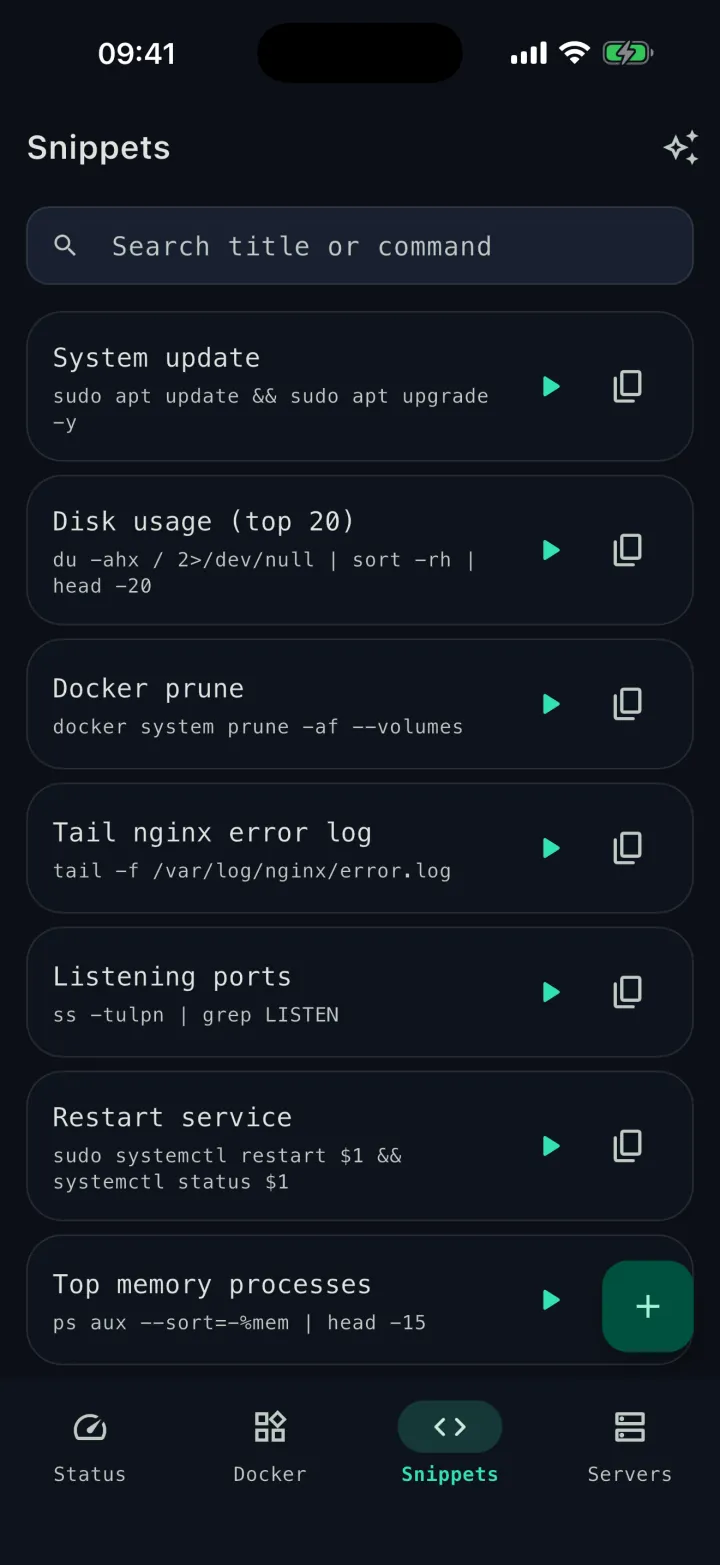
Keep the commands you run all the time one tap away from any server's terminal.
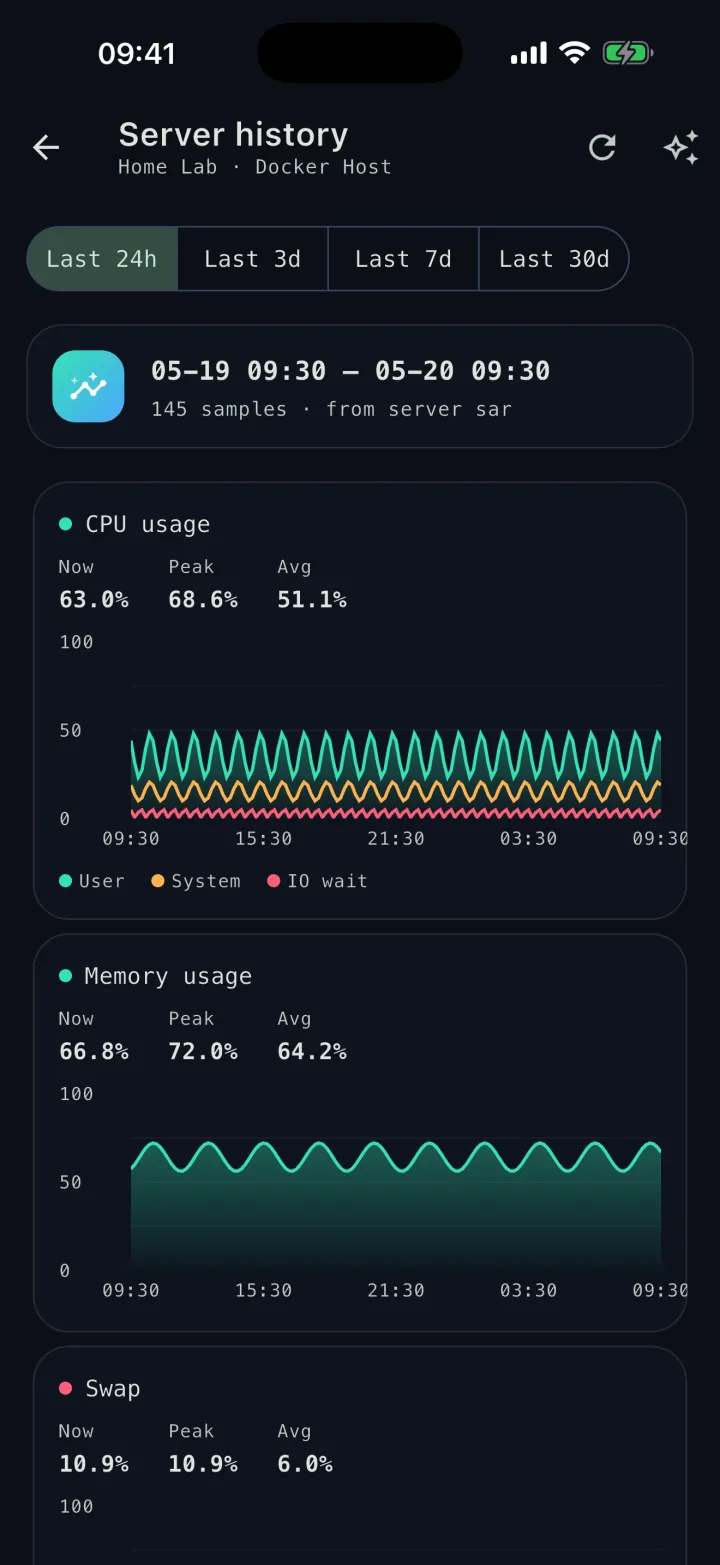
Look back over CPU, memory, network and load, plotted from each server's own records.
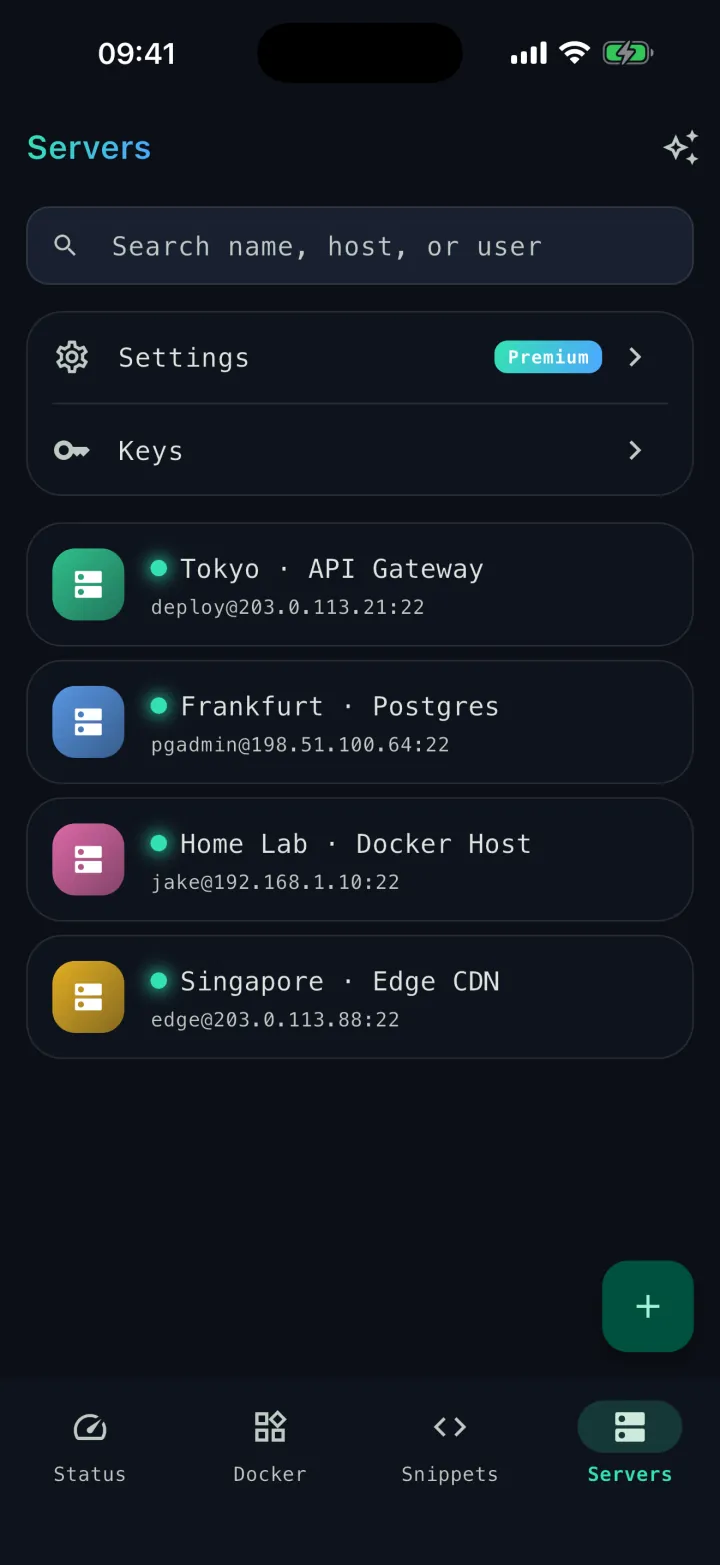
Every machine in one searchable list — organize them and jump straight into a session.
Security by design
By default, your credentials never leave the device.
Caret has no backend of its own and ships no telemetry. Connections go directly from your phone or Mac to your server.
How it is built
- UI
- Flutter (Dart 3)
- SSH / SFTP
- dartssh2
- Terminal
- xterm.dart
- Storage
- SQLite + Secure Storage
Keys stay in the secure enclave
Passwords, private keys and passphrases live only in the operating system keystore — Keychain on iOS / macOS, Keystore on Android. They are never written to the app database.
No agent on the server
Caret speaks standard SSH — connecting needs nothing installed on the remote box, and nothing phones home. Optional power features can install open-source tools you choose.
No middleman cloud
There is no Caret server. The app connects straight to the hosts you configure — your traffic never passes through us.
Local first — sync is yours and encrypted
By default, server configs, monitoring history and snippets stay in an on-device database. Turn on sync and they go to your own iCloud or Google Drive — Caret has no servers of its own — and on Google Drive everything, credentials included, is end-to-end encrypted with a master password only you know.
Caret is here.
Download Caret today on the App Store and Google Play, for iPhone, iPad, Android and Mac — iOS, Android and Mac from a single codebase.
Free to download · Premium unlocks more
Resources
Run AI coding agents on your servers, built on the open-source herdr.
What stays on your device, and why nothing leaves it.
Connecting servers, fixing connection issues, sync, purchases and how to reach us.
Connection failures, Docker permissions, sync and purchase fixes, step by step.